A camera upgrade gets my attention. A phone that could make the edit easier gets me thinking about the entire workday.
Apple announced the iPhone Duo on September 9, 2026, with a starting U.S. price of $1,999. Preorders open October 16, and availability begins October 23. This is an early assessment of its announced capabilities, rather than a hands-on review.12
For creators, the interesting question is how much useful work can happen between recording a clip and getting back to a computer. Can you review an interview properly? Build a first cut? Read feedback without losing your place? Deliver an event recap while the event is still happening?
The Duo gives those questions a new shape. Its potential becomes clearer when we look at both the camera specifications and the production decisions behind films such as Tangerine and 28 Years Later.
The camera capabilities that matter in post
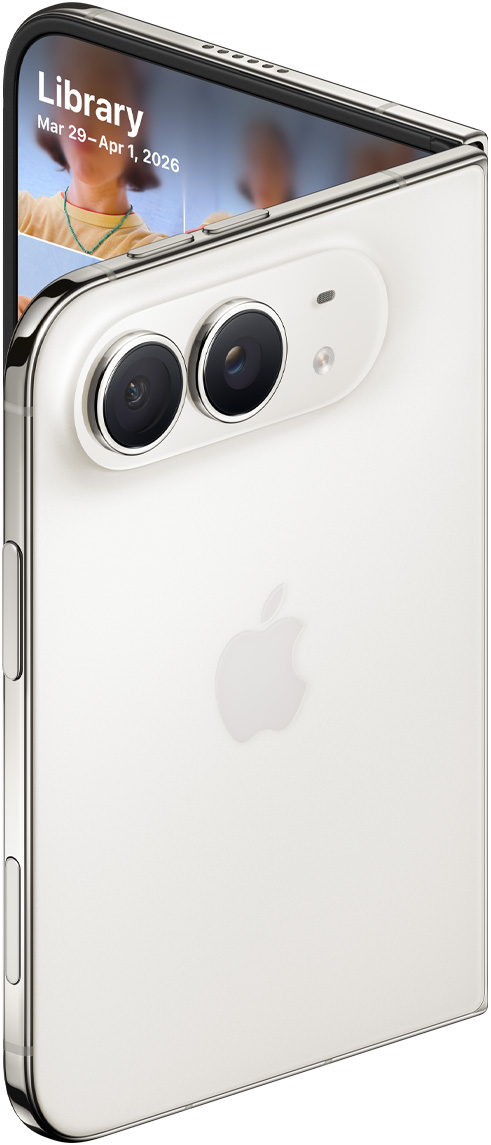
Apple’s product image of the iPhone Duo rear camera system. Image source.
Apple’s published specifications establish the following baseline.3
| Capability | Announced specification |
|---|---|
| Main camera | 48MP Fusion, 26mm equivalent, f/1.6, sensor-shift stabilization |
| Ultra wide | 48MP Fusion, 13mm equivalent, f/2.2 |
| Zoom | 2x optical-quality option from the main camera; no separate telephoto camera listed |
| Video | 4K Dolby Vision through 60fps; 100/120fps on the main camera |
| Cinematic / Action | Up to 4K/60fps / 2.8K/60fps |
| Dual Capture | Up to 4K Dolby Vision/30fps |
| Front cameras | Outer 12MP camera: up to 4K/60fps; inner FaceTime camera: up to 1080p/60fps |
| Recording formats | HEVC and H.264; ProRes, ProRes RAW and Apple Log are not listed |
| Transfer | USB 3 up to 10Gb/s |
The format distinction deserves attention. I would not plan a Log-based production around undocumented support. Equally, I would not dismiss the phone for everyday publishing: the right acquisition choice depends on the amount of image manipulation and the delivery requirements of the job.
My approach would be to start with the intended edit. Use high frame rates for shots you actually want to slow down. For interviews, prioritize consistent exposure, clear dialogue and enough coverage to make the story work. For product content, plan the close-ups and transitions before recording. More capture options are most useful when they answer an editorial need.
I would also test a sample clip through the complete workflow before a paid shoot: capture, import, edit, export and review on the destination platform. A beautiful camera preview cannot tell you whether that entire journey will behave as expected.
Tangerine: a smaller camera can change the performance
On Tangerine (2015), Sean Baker used iPhone 5s cameras with anamorphic adapters, Filmic Pro and a stabilization rig. In his WIRED interview, Baker explained that the familiar devices reduced intimidation for first-time actors and allowed the crew to work discreetly on busy Los Angeles streets. He also described embracing a strongly saturated look.4
For creators, the practical lesson is to consider how the camera changes the interaction. An interview subject may respond differently to a familiar phone than to a larger setup. I would test that approach when recording a personal story, a customer interview or a small documentary, while still making room for clear sound and deliberate framing.
The post-production opportunity starts with the material that interaction produces. A relaxed answer, a natural pause or an unguarded reaction can give an editor more to work with than a technically polished but stiff performance. That is my takeaway from Baker’s approach, rather than a promise that a smaller camera automatically produces better acting.
I would carry the same thinking into coverage: record the main conversation, then capture the environment and relevant details so the edit can move naturally between ideas. Choose the camera setup that helps you get those moments, and test the resulting footage through your editing and delivery workflow before the shoot.
Where iPhones have already reached the big screen
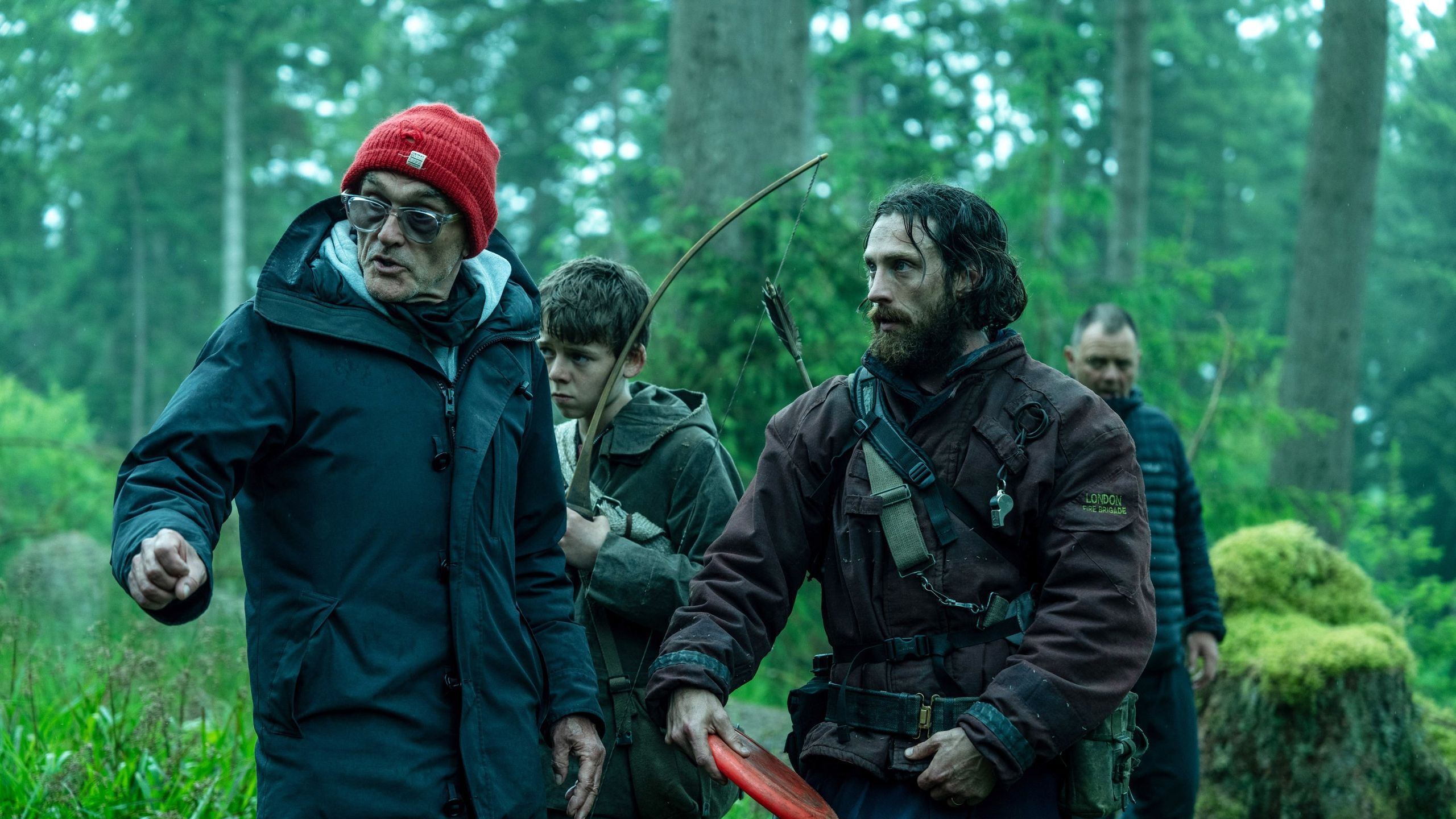
Danny Boyle on the set of 28 Years Later with Alfie Williams and Aaron Taylor-Johnson. Photograph: Miya Mizuno / Courtesy of Columbia Pictures, via GQ. Image source.
28 Years Later is a documented iPhone example. In a direct interview with GQ, director Danny Boyle and cinematographer Anthony Dod Mantle discussed using iPhone 15 Pro devices for key scenes. They connected the choice to the film’s immediacy and creative approach, while acknowledging the limitations and experimentation involved. Boyle also described capturing two shots without overriding the phone’s standard camera processing.5
That is a useful way to evaluate a creator tool: ask what kind of image or working method it enables. A compact camera may let you approach a moment differently. The edit still needs intention, rhythm and a clear point of view.
I see the relevance to everyday creators in that willingness to build around an available tool. A tutorial, interview or behind-the-scenes piece can benefit from the same discipline: decide what the audience needs to see, record it clearly and give yourself enough options to shape the finished story.
The larger screen could be the real productivity upgrade
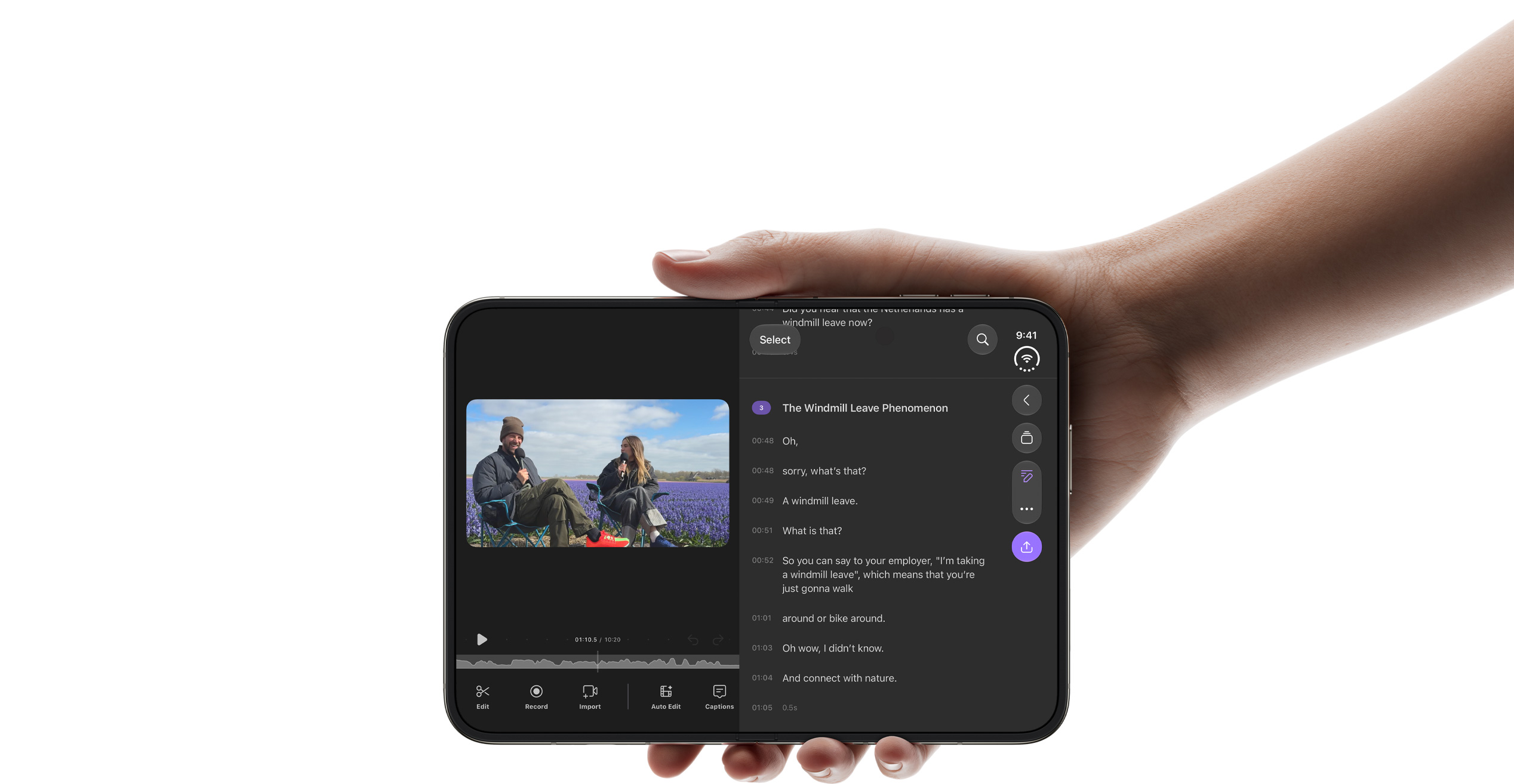
Apple shows the Detail editing app on iPhone Duo’s expanded inner display. App layouts and supported workflows vary. Image source.
Apple describes a 7.6-inch inner display, a 5.4-inch outer display and Split View for side-by-side apps. Duo Preview lets the person being photographed see the framing on the outer screen. Apple also shows the Detail editing app on the expanded display.6
These are different uses of the hardware. Two physical displays do not automatically mean an editing application can place its timeline on one and its viewer on the other. The strongest immediate proposition is the expanded inner workspace. Specific editing layouts and app combinations still need confirmation.
Here are the uses I would want to test first.
Reviewing footage before leaving a location. A more comfortable viewer could help me check framing, read a lower third or compare takes while there is still time to record another option. I would treat that as a review aid, not proof of critical focus or final color accuracy.
Building a short first cut. I want enough room to see the relationship between dialogue, B-roll, music and captions. If an editor uses the additional space well, fewer interface adjustments could mean more attention on timing. A stretched phone interface would be less valuable than one that actually exposes useful controls.
Working from feedback. An editor beside a notes or reference app could make a revision session easier, where the chosen apps support that arrangement. Picture checking a speaker’s name against an approved brief while correcting a title. That is a small task, but it is exactly the kind of repeated friction I would like mobile tools to remove.
Checking social versions. I would use the larger workspace to inspect captions and reposition graphics, then check the result at a realistic phone viewing size. The comfortable editing view and the audience’s viewing experience are both worth considering.
These are potential benefits, not measured time savings. The real test is how quickly someone can finish their own recurring task.
The software and handoff matter just as much
Mobile editing already has a practical foundation. Adobe’s Premiere app for iPhone offers a multitrack timeline, captions and watermark-free 4K exports. Adobe also documents importing mobile projects and media into desktop Premiere with a paid desktop subscription. Those are existing app capabilities, not confirmation of a Duo-specific interface.7
For me, that makes a mobile first cut a sensible starting point. Assemble the story while it is fresh, then continue on desktop when the job needs more detailed finishing. I would test that transfer with the actual titles, media and effects I use before relying on it for a deadline.
Capture control matters too. Blackmagic Camera documents manual frame-rate, shutter, white-balance and ISO controls on supported devices. Its capabilities vary by hardware, so an app’s general feature list should not be mistaken for a guarantee that every option works on the Duo.8
My ideal on-the-go assignment would be a short event recap: record an interview and coverage, review the material, assemble the strongest moments, add captions, check the sound and send a review export. Keep the source media backed up and preserve a path to further editing. I would judge the Duo by how reliably it supports that entire sequence.
Would I recommend it to the average creator?
My early view is that the Duo is most compelling for someone who already edits on a phone several times a week and regularly works away from a desk. For an event producer, social video creator or small marketing team, a comfortable portable workspace could have real value.
I would be more cautious when the phone is mainly a capture device and nearly every edit happens on a laptop. Before paying for the folding form factor, I would compare its likely benefit with the specific problems a microphone, lighting kit, storage upgrade or training could solve.
I would also want sustained editing tests, rather than a quick demonstration. Can the device handle a normal project comfortably? Does the chosen app use the space well? Is transferring footage straightforward? Does the workflow hold up during a long day?
The Duo is worth watching because it could help creators carry an edit further while they are away from their main workstation. My buying decision would come down to that practical result: how much easier it makes turning the footage I have into the video I need.
Editorial research notes
Research cutoff: September 10, 2026. This appendix supports editorial review and can be omitted from the published blog; retain the source links.
| Point | Evidence and editorial treatment |
|---|---|
| Announcement versus release | Use the dated announcement and availability wording in the introduction. Avoid “released yesterday,” which implies retail availability. |
| Camera claims | Table follows Apple’s technical page. Absence from that page is described as “not listed,” not proof that future software cannot add support. |
| Tangerine example | Direct filmmaker testimony supports the practical benefit of a small, familiar camera. The application to interviews and editing coverage is author analysis. |
| Movie example | The GQ interview supplies direct filmmaker testimony for the iPhone example. Avoid equating a production’s complete workflow with an unmodified consumer phone. |
| Editing opinion | Proposed use cases are author analysis. No hands-on experience, benchmark, app-specific split layout or measured efficiency claim is asserted. |
| Purchase judgment | Conditional on recurring mobile work and testing. No claim that the phone replaces a finishing workstation. |
Questions for a hands-on follow-up
- Do the preferred editor and reference app work together in Split View, and how much usable workspace remains?
- Does the editor reorganize its timeline and viewer intelligently when the phone opens, rotates or partially folds?
- Can a representative project play and export repeatedly without disruptive heat, battery drain or slowdowns?
- Do capture settings, audio connections and media transfers behave consistently with the intended accessories?
- Does the mobile-to-desktop transfer preserve the specific project elements the creator needs?
- How does the finished export look and sound after upload to the actual delivery platform?
Suggested publishing metadata
SEO title: iPhone Duo for Creators: Camera and Editing Potential
Meta description: Explore iPhone Duo camera specs, mobile editing potential, and filmmaking lessons from Tangerine and 28 Years Later with FMC’s Tyree Peters.
Suggested slug: iphone-duo-creators-camera-mobile-editing
Sources
Image publishing metadata
See image metadata and credits for alt text, descriptions, dimensions, source URLs and reuse status.