Freelance video editing is growing faster than most creative fields in the US. Employment for film and video editors is projected to grow 4 percent from 2024 to 2034, with roughly 6,400 openings each year. If you want to compete for those roles, your Adobe skills need to go beyond the basics.
This guide walks you through everything you need to know about choosing the right Adobe training for freelance video editors in 2026. You will learn how to evaluate training formats, which Adobe tools matter most, how certification fits into your career, and how to match a learning path to your current skill level.
Future Media Concepts offers manufacturer-authorized Adobe courses built around real production workflows, so many of the practical examples in this guide reflect that instructor-led, hands-on approach.
Key Takeaways: Adobe Training for Freelance Video Editors in 2026
- Adobe Premiere Pro remains the primary editing tool freelance editors need to master for client work in the US.
- Live, instructor-led training shortens your learning curve compared to self-paced tutorials alone.
- Adobe Certified Professional credentials give freelancers a measurable way to prove editing proficiency to clients.
- Future Media Concepts delivers manufacturer-authorized Adobe courses with small class sizes and direct instructor access.
- Pairing editing skills with color grading and AI workflow knowledge increases your value as a freelancer.
Why Adobe Premiere Pro Is the Standard for Freelance Editors
Most production houses, agencies, and content teams in the US use Adobe Premiere Pro as their primary editing application. When a client sends you a project file, the odds are high that it opens in Premiere.
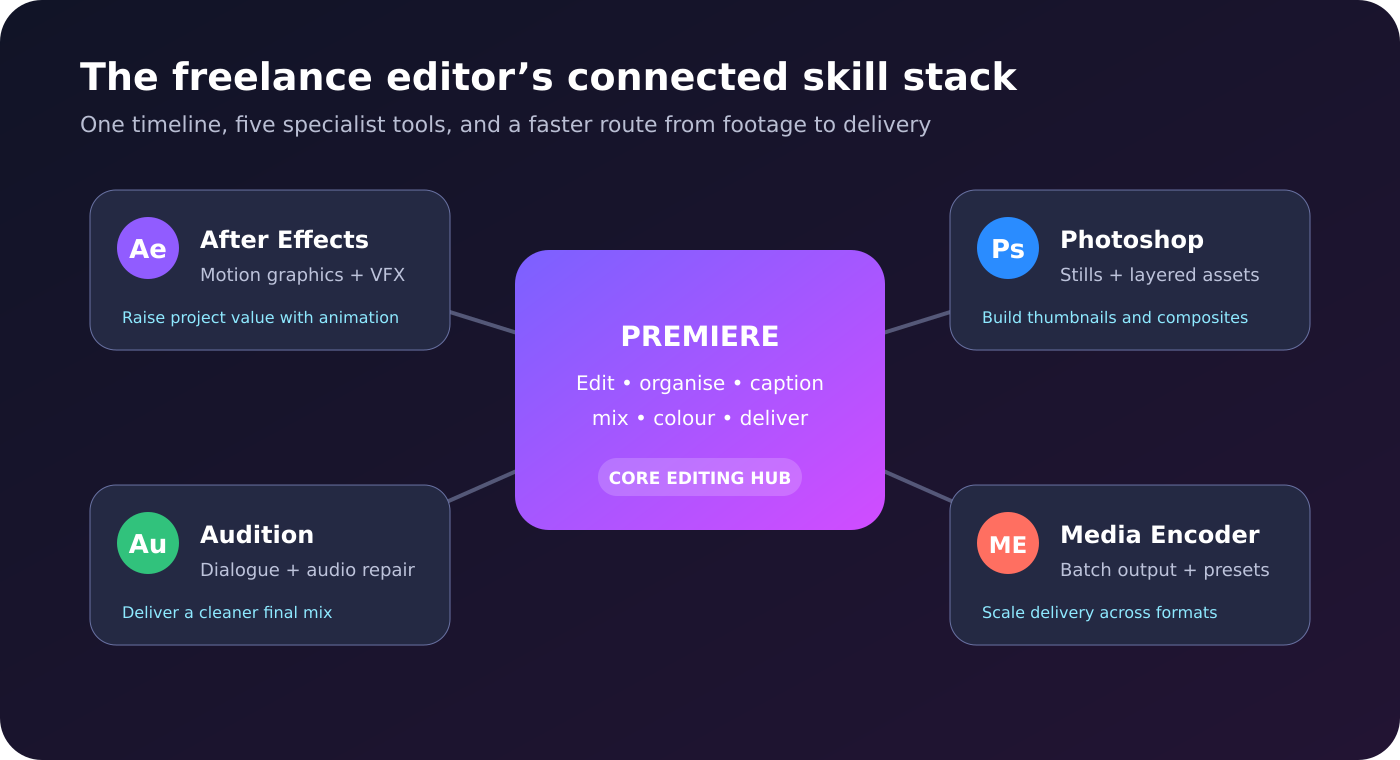
Premiere integrates directly with After Effects, Photoshop, and Audition through Adobe Creative Cloud. This means you can round-trip compositions, graphics, and audio mixes without converting formats or losing metadata.
For freelancers, that integration cuts turnaround time on multi-tool projects. A single Premiere Pro training path often becomes the entry point to a broader Adobe skill set.
What to Look for in an Adobe Video Editing Course
Manufacturer Authorization
Adobe authorizes specific training providers to teach its software using approved curricula. Manufacturer-authorized courses follow Adobe's own learning objectives and cover the features practitioners actually use on the job.
Non-authorized courses can teach valid techniques, but authorized programs carry verified curriculum standards. For freelancers building credentials, that distinction matters when clients and agencies review your training background.
Instructor Credentials and Class Size
An instructor who edits professionally can answer questions about real production scenarios. Look for certified instructors with verifiable editing credits or demonstrated expertise in the tools they teach.
Small class sizes give you more direct access to the instructor. You get feedback on your specific edits, not generic answers aimed at a room of two hundred participants.
Hands-On Exercises and Real Projects
Watching a demonstration is not the same as cutting footage yourself. Courses that build exercises around real media files help you retain techniques faster and apply them immediately to client work.
Hands-on practice is especially important for timeline navigation, keyboard shortcuts, and color correction, where muscle memory plays a major role in editing speed.
Understanding Adobe Creative Cloud for Freelance Editors
Adobe Creative Cloud is the subscription service that gives you access to every Adobe application. For freelance editors, the key applications are Premiere Pro, After Effects, Photoshop, Audition, and Media Encoder.
Your Creative Cloud subscription also includes cloud storage, Adobe Fonts, and access to Adobe Stock templates. These resources speed up production on projects where you need quick access to assets, fonts, or collaboration files.
Training that covers Creative Cloud as a connected ecosystem helps you understand how files move between applications. You learn how Dynamic Link connects Premiere and After Effects, how Media Encoder handles batch exports, and how Libraries sync assets across tools.
How Live Instructor-Led Training Differs from Self-Paced Tutorials
Self-paced video tutorials have a clear advantage: flexibility. You can pause, rewind, and watch on your own schedule. For many editors, that on-demand access makes tutorials a solid starting point.
Live instructor-led training adds a layer that tutorials cannot replicate: real-time interaction. When you hit a problem, you ask a question and receive an answer immediately. The instructor can see your screen, diagnose your issue, and guide you through the fix.
Future Media Concepts runs live online training sessions through Zoom, connecting certified instructors with small groups of students. You participate from your own workstation while still getting direct feedback and hands-on exercises.
For freelancers who need to build skills quickly between client deadlines, this format balances speed with depth.
Essential Adobe Tools Every Freelance Video Editor Should Learn
Adobe Premiere Pro
Premiere Pro handles your core editing tasks: timeline assembly, multi-cam editing, audio mixing, titling, and export. Starting with an introductory course covers the interface, basic cuts, and audio alignment. An advanced Premiere course moves into compositing, effects workflows, and advanced output configurations.
Adobe After Effects
After Effects is where you build motion graphics, visual effects, and animated titles. Many freelance clients request custom lower-thirds, intro sequences, and animated social media assets. Training in After Effects expands the types of projects you can accept and bill for.
Adobe Premiere Pro Color Mode
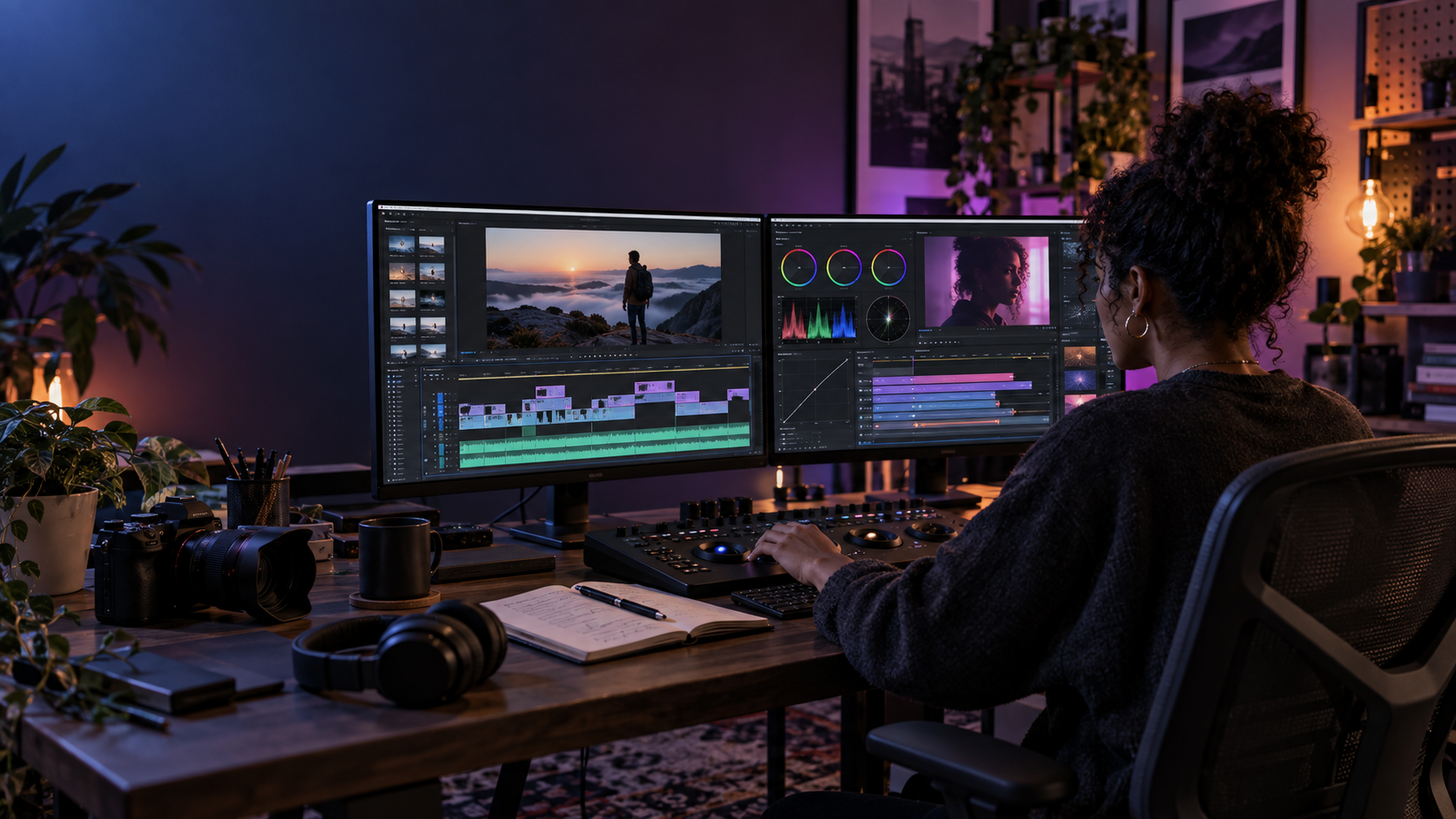
Color Mode, introduced in Premiere Pro 2026, brings dedicated color grading tools directly into the editing timeline. You no longer need to round-trip into a separate grading application for most projects. A Color Mode course teaches you color correction, video scopes, and grade management inside Premiere itself.
Adobe Audition
Clean audio is non-negotiable in professional video. Audition handles noise reduction, dialogue leveling, and multitrack mixing. Knowing how to repair and polish audio inside Audition means you can deliver a finished piece without relying on third-party audio tools.
How Adobe Certification Works for Freelancers
The Adobe Certified Professional (ACP) program validates your proficiency in specific Creative Cloud applications. Exams are delivered through Certiport and are available both online and at authorized testing centers.
For Premiere Pro, the exam tests your ability to manage projects, edit video, work with audio, apply transitions, and export deliverables. Adobe recommends at least 150 hours of hands-on application experience before sitting for the exam.
Passing the exam earns you a digital badge through Credly that you can display on your portfolio site, LinkedIn profile, and invoices. When a potential client compares two editors with similar reels, the one with a verified Adobe certification has a documented edge.
Specialty Credentials and What They Mean
Adobe awards specialty credentials when you complete two related certifications. For example, earning your Premiere Pro certification alongside an After Effects or Photoshop certification qualifies you for the Video Design specialty credential.
That pairing signals to clients that you can handle both editing and motion graphics or compositing work. For freelancers, a specialty credential can justify higher rates and open doors to more complex projects.
How to Choose a Training Path Based on Your Skill Level
If You Are New to Adobe Premiere Pro
Start with an introductory course that covers the interface, basic editing operations, audio mixing, and simple color correction. Future Media Concepts offers a three-day Premiere 2026 Introduction course that takes you through these fundamentals with live instruction and hands-on exercises.
After completing an intro course, practice on your own projects for several weeks before moving to advanced material. Repetition on real footage builds the speed and confidence you need for client work.
If You Already Edit but Want to Level Up
An advanced Premiere course covers compositing, advanced effects, color correction techniques, and output workflows for broadcast and streaming. If you already handle basic timelines comfortably, this is where you refine efficiency and expand what you can deliver.
Adding Color Mode training at this stage gives you in-timeline grading skills that reduce the need to export to a separate application. That speeds up your delivery and simplifies your pipeline.
If You Want to Add Motion Graphics to Your Services
After Effects training is the logical next step. An introductory After Effects course teaches keyframe animation, layer compositing, and text animation. Intermediate and advanced courses cover expressions, 3D layers, and tracking.
Pairing Premiere Pro and After Effects knowledge positions you for the Video Design specialty credential and makes you a stronger candidate for projects that require both editing and graphics.
Step-by-Step: How to Start Your Adobe Training as a Freelance Editor
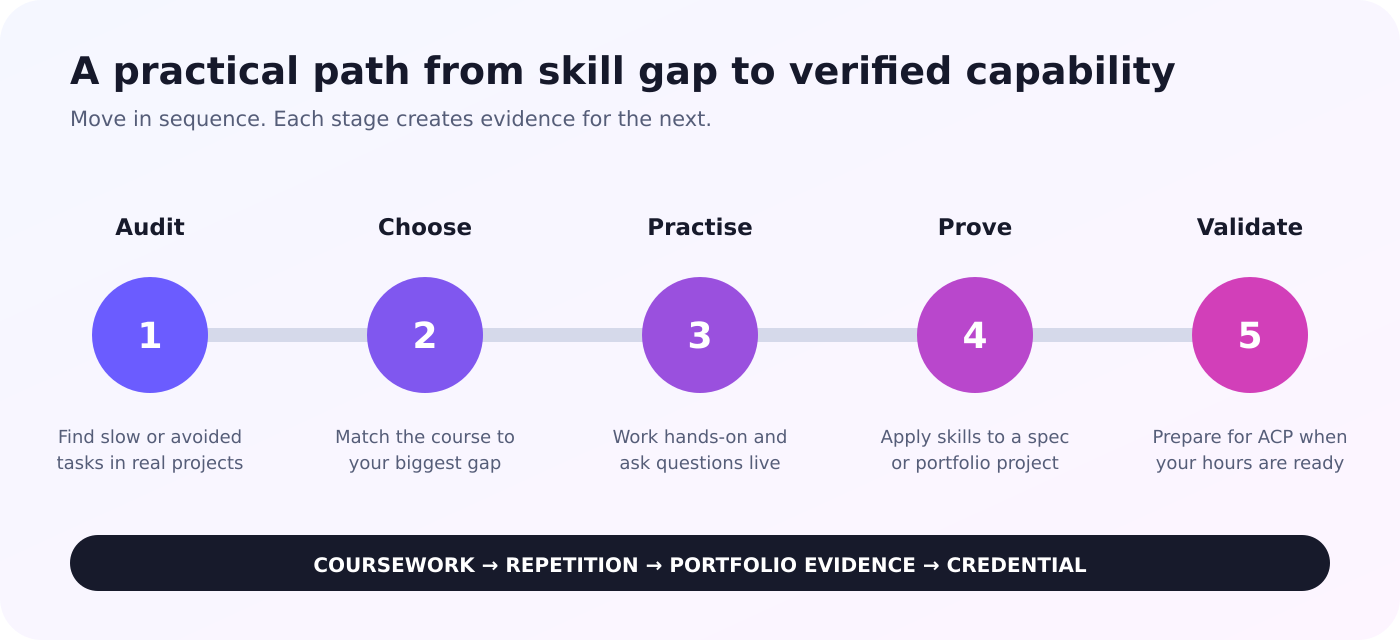
Step 1: Identify Your Current Skill Gaps
Before enrolling in any course, audit your current abilities. Can you build a multi-track timeline? Do you know how to color correct footage? Can you export for multiple delivery formats?
Write down the tasks you do confidently and the ones you avoid or complete slowly. That list tells you where training will have the most impact on your client work.
Step 2: Select Your First Course
If your gap list centers on basic editing operations, start with an introductory Premiere Pro course. If you already edit but lose time on color correction or effects, an advanced course addresses those areas directly.
Match the course format to your schedule. Live online courses let you train from your workstation. In-person sessions at a training center give you access to dedicated hardware and face-to-face instruction.
Step 3: Complete Hands-On Exercises During Training
Follow along on your own timeline as the instructor demonstrates each technique. Apply each method to the exercise files in real time. When something does not work as expected, ask immediately. That back-and-forth is what makes live training effective.
Active participation during training sessions is the fastest way to move new techniques from short-term memory into your daily editing practice.
Step 4: Practice on Personal or Spec Projects
After your course ends, immediately apply what you learned to a real project. Edit a spec commercial, a personal short film, or volunteer footage for a nonprofit. This reinforces your training while adding to your portfolio.
Step 5: Pursue Certification When Ready
Once you have accumulated enough hours of hands-on practice, register for the Adobe Certified Professional exam. Review the exam guide on Adobe's certification site and take practice assessments to identify any remaining weak areas.
The Role of AI in Adobe Video Editing Training
Adobe has integrated AI-powered features into its Creative Cloud tools. In Premiere Pro, AI assists with tasks like scene detection, auto-reframing for different aspect ratios, and speech-to-text transcription for caption generation.
Understanding how to apply these features in your editing workflow saves time on repetitive tasks. Future Media Concepts offers a dedicated Adobe AI for Video course that covers AI-driven editing techniques, including automated captioning, content-aware fill, and AI-assisted color matching.
For freelancers handling high volumes of social media content or corporate video, AI tools reduce turnaround without sacrificing quality. Training ensures you know when to use these features and when manual editing produces a better result.
How to Build a Freelance Career After Adobe Training
Building a Portfolio That Demonstrates Skill
Clients hire based on what they can see. Assemble a reel that shows range: corporate interviews, social media shorts, color-graded narrative scenes, and motion graphics. Each piece should demonstrate a specific technique or tool you have trained on.
Use your certification badge and training credentials in your portfolio bio. According to BLS data, about 29 percent of film and video editors are self-employed, making it critical to differentiate yourself from other freelancers competing for the same projects.
Setting Rates That Reflect Your Training
The median annual wage for film and video editors in the US was $70,980 in May 2024, according to the Bureau of Labor Statistics. Editors working in the motion picture and video industry earned a median of $76,950.
Your training and certifications give you a documented skill set that supports your pricing. Certified editors with specialized skills in color grading and motion graphics can position their rates above the median, backed by credentials rather than guesswork.
Growing Through Networking and Conferences
Industry connections lead to referrals. Events like post-production conferences connect you with other editors, producers, and technical leads who may become future clients or collaborators.
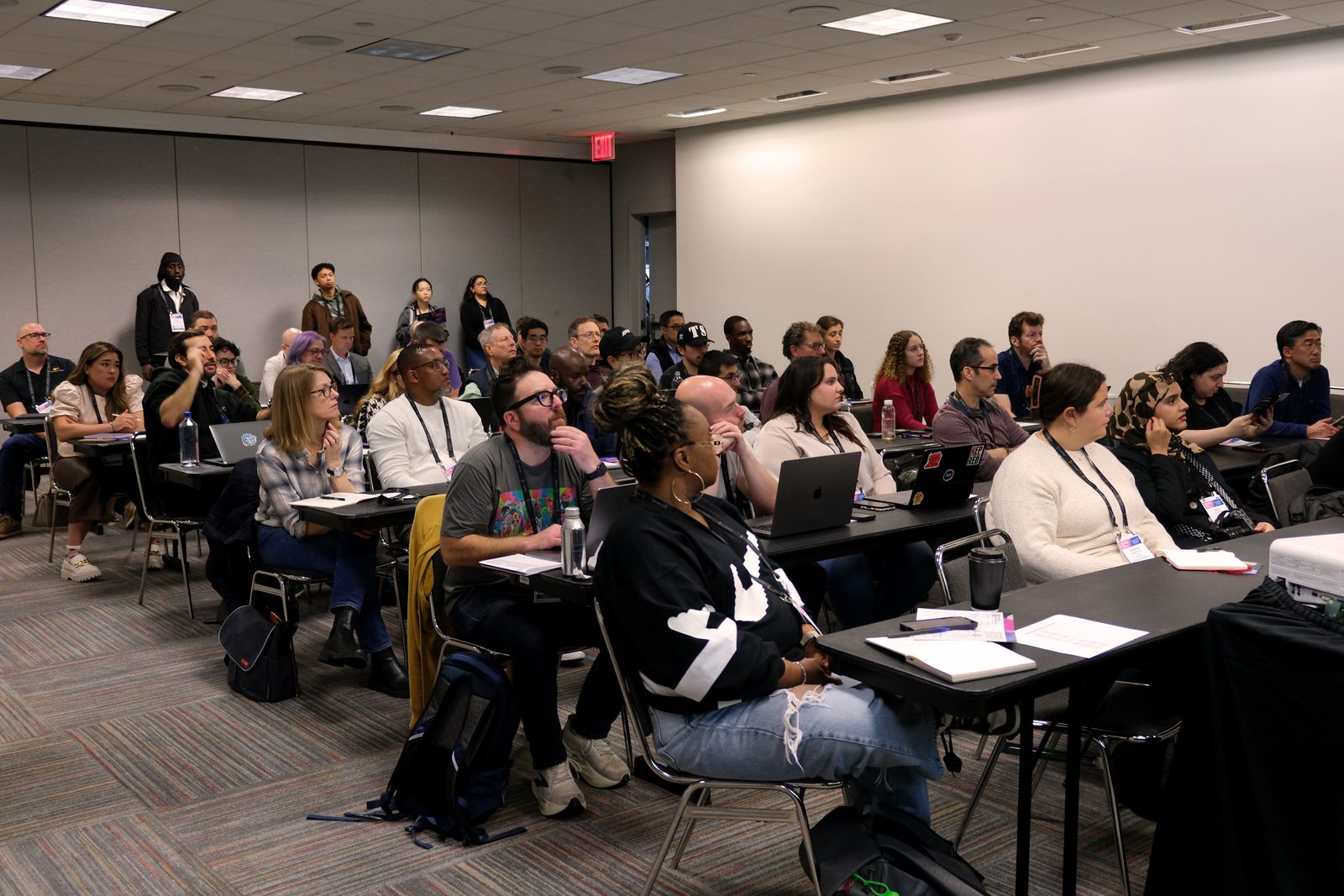
Future Media Concepts produces Post|Production World (PPW) New York, an education-rich conference that brings together working media professionals. Attending these events puts you in the same room as the people who hire freelance editors.
How Freelancers Benefit from Structured Training Versus YouTube Tutorials
YouTube and free tutorial platforms host thousands of Adobe editing tutorials. For quick reference on a specific feature, a five-minute video can answer your question fast. These resources work well for isolated problems.
Structured training covers material in a planned sequence. Each lesson builds on the previous one, and the curriculum is designed to leave no gaps in your foundational knowledge.
The difference matters when you encounter an unfamiliar project type. An editor who trained through a structured curriculum knows how to approach multi-cam workflows, nested sequences, and proxy editing because those topics were covered systematically. An editor who learned from random tutorials may have gaps in one or more of those areas.
For freelancers, confidence in handling any project type directly affects the range of work you can accept. Structured training gives you that breadth.
Understanding Training Delivery Formats for Freelance Schedules
In-Person Classroom Training
In-person sessions take place at a dedicated training facility with workstations, monitors, and licensed software. You sit alongside a small group of students and receive direct, face-to-face instruction.
This format minimizes distractions. You focus entirely on the material for the duration of the course. It also gives you opportunities to network with other editors in the room.
Live Online Training
Live online sessions replicate the classroom experience through screen-sharing technology. You follow along on your own machine while the instructor demonstrates techniques in real time.
This format works well for freelancers who cannot travel to a training center. You save time and travel costs while still getting live interaction, hands-on exercises, and the ability to ask questions as they come up.
On-Site Team Training
If you work with a group of freelancers or contractors on a recurring production, on-site training brings the instructor to your location. The curriculum can be customized to your team's specific tools, workflows, and project types.
Common Mistakes Freelance Editors Make When Choosing Training
Skipping Fundamentals and Jumping to Advanced Courses
Advanced techniques build on foundational skills. If you skip the basics of timeline navigation, keyboard shortcuts, and project organization, you will hit roadblocks in more complex workflows.
A structured learning path that starts with an introductory course and progresses to advanced material ensures you have no critical gaps in your editing toolkit.
Choosing Price Over Quality
Free tutorials cover surface-level techniques. They rarely address the production-specific scenarios you will encounter with clients. Investing in manufacturer-authorized, instructor-led training gives you verified skills and direct expert feedback that a pre-recorded video cannot.
Ignoring Certification Opportunities
Some editors dismiss certification as unnecessary. In a competitive freelance market, verified credentials set you apart. The ACP exam is a direct measurement of your Premiere Pro proficiency, and passing it gives clients confidence before they ever see your reel.
In Conclusion: Choosing the Right Adobe Training for Your Freelance Career
Your Adobe training shapes every project you take on as a freelance editor. Choosing a manufacturer-authorized, instructor-led program with small class sizes and real hands-on exercises gives you a stronger foundation than self-paced alternatives alone.
Start with the tool you need most. For most freelancers, that is Premiere Pro. Add video editing career skills like color grading, motion graphics, and AI workflows as your client base grows. Earn your Adobe certification to document your proficiency and set your rates with confidence.
Future Media Concepts gives freelance editors a direct path from beginner to certified professional, through live, instructor-led Adobe courses built around real production workflows.
FAQs About Adobe Training for Freelance Video Editors
What is the best Adobe tool for freelance video editors to learn first?
Adobe Premiere Pro is the primary editing application most freelancers need first. It handles timeline editing, audio mixing, titling, and export.
Future Media Concepts offers Premiere Pro courses at introductory and advanced levels, so you can start at whatever skill level fits your experience.
How long does it take to get Adobe Certified Professional in Premiere Pro?
Adobe recommends at least 150 hours of hands-on experience before taking the ACP exam. With structured training, many editors reach exam readiness in a few months of consistent practice.
Can I take Adobe training online as a freelancer?
Yes. Future Media Concepts runs live, instructor-led online classes through Zoom. You attend from your own workstation and receive the same hands-on exercises and direct instructor feedback as in-person sessions.
Is Adobe certification worth it for freelancers?
Certification gives you a verified credential that clients can check. In a competitive market, a Credly-verified Adobe Certified Professional badge on your portfolio differentiates you from editors without documented proof of proficiency.
What Adobe skills beyond editing should freelancers develop?
Color grading in Premiere Pro Color Mode, motion graphics in After Effects, and AI-assisted editing workflows all increase the range of projects you can handle.
Future Media Concepts covers each of these areas through dedicated courses, letting you build a multi-skill profile that supports higher rates and more diverse client work.